
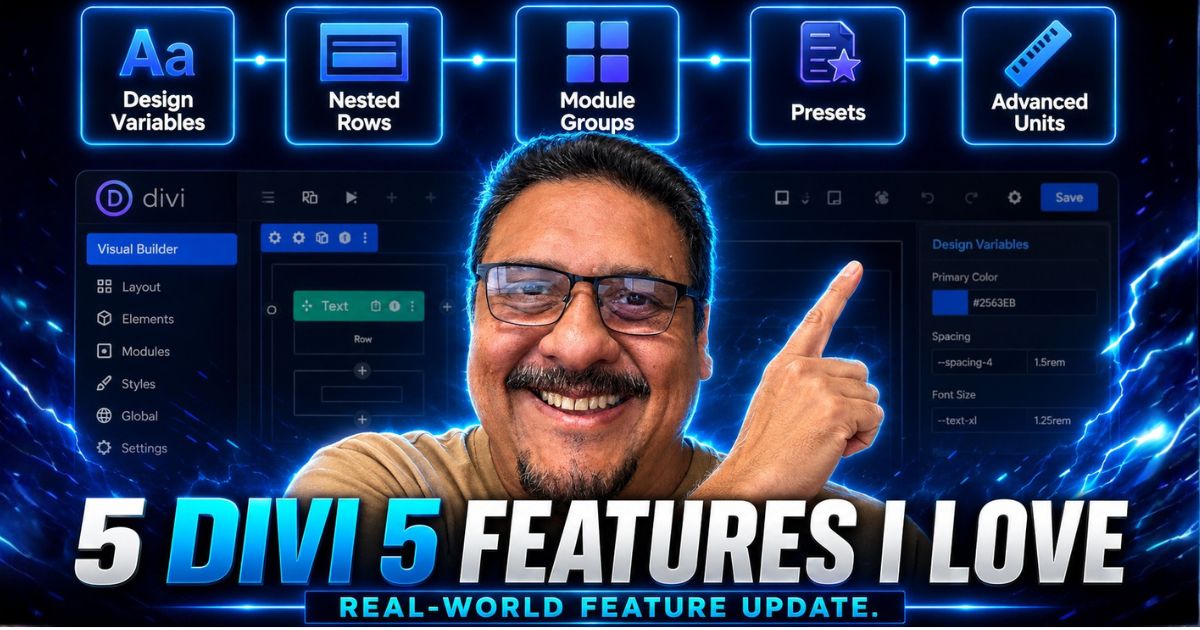
I have been building websites with Divi for more than a decade. I know that makes me sound old, but I hope it has made me a little wiser, too.
I launched the Divi Tutorials Blog on Quiroz.co in 2014, built a Divi Facebook Community of nearly 17,000 members, helped thousands of aspiring Divi designers and developers, and used Divi to build websites for businesses and organizations across a wide range of industries.
My WordPress Journey Leading Up To Divi 5
My journey with Divi actually began before Divi even existed. I was originally drawn to Elegant Themes, the company behind Divi, because Nick Roach was a designer at heart, and that design-first perspective was evident in the company’s earliest themes and products.

I used Elegant Themes for many of my first WordPress projects. The themes Nick was producing at the time were beautiful, thoughtfully designed, and far more polished than many of the alternatives available then, IMHO of course.
From Divi Pioneer to Divi Community Leader to Divi Expert to Divi Evangelist
When Divi launched, I immediately recognized its potential. I began experimenting with the framework, finding creative ways to push beyond its original limitations, and sharing those solutions with the growing Divi community.
What began as curiosity and experimentation eventually became a major part of my professional journey.

By consistently testing Divi’s limits, developing practical solutions, and sharing those discoveries with others, I became recognized as one of the early authorities on the Divi framework and a pioneer within the Divi product ecosystem.
More importantly, that experience gave me the opportunity to help shape conversations around how designers and developers were using Divi in the real world.
How Elegant Themes Recognized My Divi Expertise.
As the Divi community continued to grow, the team at Elegant Themes recognized the role I had played during those early years and invited me to share my story.

The short video below was created as part of an Elegant Themes promotional campaign and features an interview with me conducted by Nathan Weller (pictured above front and center).
Portions were filmed near my home in Monterey, California, and at the Elegant Themes headquarters with Nick Roach, Mitch Skolnik, and Andy Tran around 2017, when the Divi community and product ecosystem were really beginning to take off.
To my surprise, the video took on a life of its own. It became something of a viral Divi moment and has now been viewed more than 4.9 million times on YouTube.
Even more meaningful than the view count were the comments from designers and aspiring freelancers who said my tutorials and story had helped or encouraged them.
One viewer wrote:
“Your blog has been a huge resource over the years!”
Another shared:
“Many times when I am looking for a Divi tip, one of his videos or blog posts shows up.”
Others said the video inspired them to continue learning Divi, pursue freelance web design, and even start building their own agencies. Looking back, it is humbling to know that a video about my journey became a small part of so many other people’s Divi journeys as well.
What Does Geno Think About Divi 5 and Who Really Cares?

Nick hanging out with my boys, Eugene and Emilio at the 2nd annual International Divi Meetup we hosted in 2017
Other than my boys, probably not too many people actually care what I think about anything. But longtime Divi users might.
Some designers moved away from Divi because the builder began to feel slow, dated, or limited compared to newer tools. Others may have stepped away years ago and are now wondering whether Divi 5 is different enough to deserve another look.
That is where my history with Divi may be useful.

Divi Expert Geno Quiroz being interviewed at Wordcamp Orange County by Nathan Weller in 2016. Divi legend Sarah Oates is there in the picture as well 🙂
I remember the earliest versions. I remember the features that changed everything, the limitations we learned to work around, and the custom CSS, JavaScript, third-party modules, and creative problem-solving that helped the Divi community push the platform further.
More importantly, I have spent years using Divi where it matters most: building real websites for real clients, from small businesses to large organizations.
So, while my opinion may not matter to everyone, I do have a unique perspective on how far Divi has come, where it has struggled, and whether Divi 5 represents a meaningful step forward.
Why These New Divi 5 Features Matter to Me
The value of Divi 5 is not found in any single new setting. It is found in the way its rebuilt foundation, visual interface, layout tools, design systems, and native modules work together to create a more capable and scalable website-building platform. One that works around my workflow, not the other way around.

Geno Quiroz and Nick Roach at Wordcamp Orange County 2017
And let’s give credit where credit is due: Nick Roach.
After getting to know Nick, I immediately liked him. He was cool, down-to-earth, humble, and clearly passionate about what he was building. Once I heard his story, understood his vision, and saw the commitment behind Elegant Themes, I became convinced the company was not going away anytime soon. For once, one of my bets paid off. 😀

Nick Roach sitting in our Air BNB dining room showing us a sneak peak at the brand new Divi 3.0 in 2016
I still remember hosting the very First International Divi Meetup at WordCamp Orange County back in 2016. The core team from Elegant Themes came down and spent the weekend with us. During that meetup, Nick introduced us to the new Divi Visual Builder and gave us an early look at the direction Elegant Themes was heading.
I remember asking him, “Please do not go all-in on the visual editor. Some of us still like adding custom CSS and building things with custom code.”

Divi Legends Tim Strifler and Geno Quiroz with the Divi Creator himself, Nick Roach at Wordcamp Orange COunty 2016
To his credit, he listened. When the new version was released, Elegant Themes kept the Classic Editor available for old-school builders like me who were not quite ready to give up the workflow we knew and loved.
Well, times have changed.
Today, even the lastest version of Divi 4’s Visual Builder feels like floppy disk technology compared to Divi 5.
I am completely sold on the new Divi 5 Visual Builder and customizable workspace. When I go back to work on one of my websites that has not yet made the move to Divi 5, the difference is immediately noticeable. Divi 4 suddenly feels older, slower, and far more limited. Honestly, the difference is enormous.
Elegant Themes Did Not Simply Place a New Interface Over Divi 4.
Divi 5 was rebuilt on a new technical foundation, replacing the previous shortcode-based system with a more modern, block-based storage format. Elegant Themes created the new architecture to address accumulated technical debt, improve performance, support a new developer API, and prepare Divi for the next generation of WordPress website building.
That distinction matters.
As web designers, we are not only choosing a collection of visual features. We are choosing the foundation on which we will build, maintain, expand, and support our clients’ websites for years to come.
A good website builder should help us create attractive pages. A great website platform should also help us:
- Build faster without sacrificing quality.
- Maintain consistency across an entire website.
- Reduce unnecessary plugins and custom code.
- Adapt layouts across different devices.
- Make global changes safely and efficiently.
- Hand websites over to clients with confidence.
- Continue evolving alongside WordPress and modern web standards.
Divi 5 is beginning to deliver that broader platform experience.
It also reflects something I have always appreciated about Nick Roach and the Elegant Themes team: they listen to their community, think long-term, and continue investing in the product. My experience at that first Divi Meetup is just one example.
Nick listened to the concerns of longtime users while still moving Divi forward, and that willingness to balance innovation with the needs of the community has continued throughout Divi’s development. And that is why I continue to remain loyal to the brand.
“I will probably forever be a Divi Evangelist” – Geno Quiroz
Divi 5 officially moved beyond beta in February 2026, but the development pace has not slowed. Elegant Themes has continued releasing improvements, stability updates, new modules, and major workflow features.
Here are the five things I absolutely love most.
The Five Divi 5 Features I Absolutely Love
These are not necessarily the five flashiest Divi 5 features. They are the five improvements that I believe will have the greatest effect on how designers, agencies, freelancers, and business owners build and manage websites.
1. Divi 5 Has a Faster, Cleaner, Rebuilt Foundation
The first thing I love about Divi 5 is not a module or design setting. It is the foundation underneath everything.
Divi has always made it possible for visual designers to create sophisticated WordPress websites without building every component from scratch. However, more than a decade of new features, WordPress changes, third-party extensions, and backward compatibility naturally created technical weight.
Elegant Themes made the difficult decision to rebuild Divi rather than continue stacking new features onto its original architecture.
Divi 5 removes the old shortcode-based content structure, introduces a block-based storage format, and uses a modern technical stack. It also includes a new API designed to make module and integration development easier.
For users, that technical work translates into something much simpler: the builder feels faster and more responsive.
When you spend hours inside a visual builder every day, small delays matter. Waiting for settings to open, styles to apply, elements to move, or pages to respond creates friction. That friction adds up across every page and every project.
Divi 5 feels more immediate. The interface is smoother, the builder responds more quickly, and the overall experience feels better suited to a professional production environment.
My Real-World Divi 5 Speed Test
That improved speed is not just something I noticed while experimenting with the builder. I have seen the difference in my actual production workload.
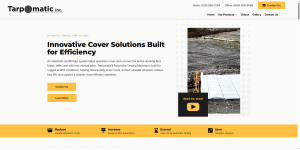
During the 60 days leading up to this article, I built or completely rebuilt six custom Divi 5 websites, each ranging from approximately 10 to 20 pages



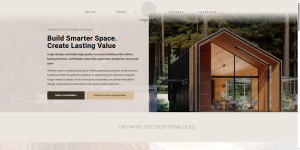

- Origin ADU — Accessory dwelling unit design and construction company in Colorado
- Whisler Plumbing & Heating — Plumbing, HVAC, process piping, and specialty welding company in Ohio
- Tarpomatic — International automatic tarping equipment company
- Custom Comfort Systems — HVAC company in Ohio
- Pasuza Sportsman’s Club — Private hunting, fishing, and recreation club in California (launching soon)
- Taggart Law Firm — Law firm and title company website in Ohio (launching soon)
What Faster Divi 5 Website Development Looks Like
These are not template swaps or simple five-page brochure websites. They are fully customized business websites with original layouts, responsive design, service pages, calls to action, structured content, global design systems, and industry-specific functionality.
I completed them without missing hours from my full-time day job and, even more importantly, without sacrificing my time with my boys. I was able to move each project forward by working only a few focused hours per week.
This was not a case of asking AI to generate six websites for me. I used AI to support portions of my normal research and content workflow, just as I do on many projects, but the strategy, design, development, responsive work, and final execution were still mine.
For me, this is the clearest evidence of how much faster building with Divi 5 has become. I am not relying on a benchmark, a promotional claim, or a controlled demonstration. I can look at five substantial websites produced in approximately two months and compare that output directly with what the same workload would have required in previous versions of Divi.
I am accustomed to managing as many as 8-12 active projects in a given month, but I have never successfully started and launched an average of more than 3 websites per month without a team of developers behind me.
I certainly had never done it entirely on my own, especially with this level of customization and such minimal reliance on third-party plugins.
2. Customizable Workspaces Make Divi 5 Feel Like My Builder
After working with Adobe tools for so many years, I became comfortable with flexible workspaces, movable panels, customizable menus, and enough tools and settings to make the average computer user’s head spin.
I loved being able to arrange the interface around the way I worked rather than having to adapt my process to a fixed workspace.
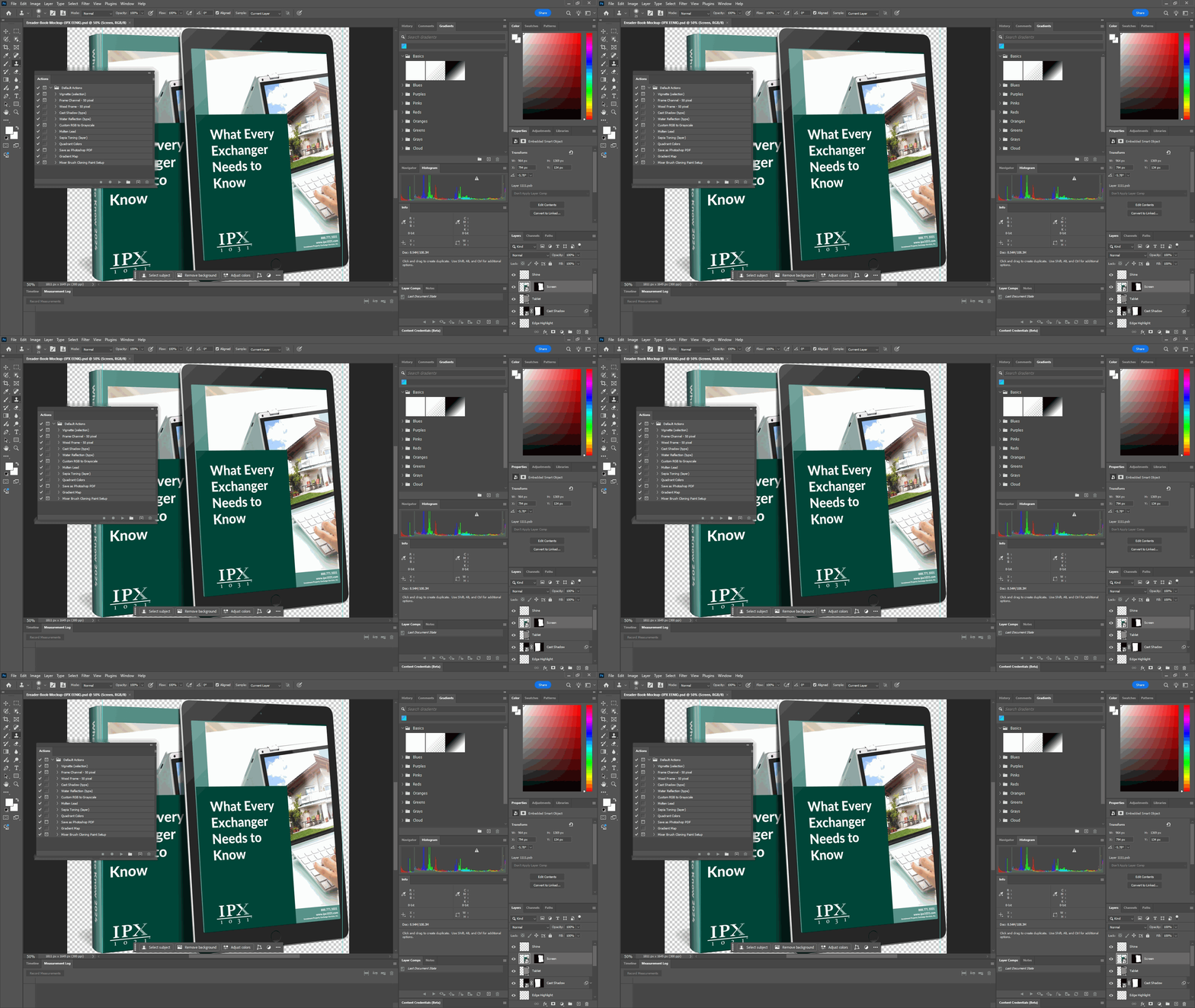
I always had a hunch that Divi would eventually move in this direction. Nick Roach is a designer at heart, and that was evident in his work long before Divi existed. The company’s products were not only functional; they were created with a designer’s attention to detail.
Divi 5 Workspaces Let Users Personalize the Visual Builder Around the Way They Actually Work.
Some designers want the Layers panel visible at all times. Others want as much canvas space as possible. Some prefer floating panels, while others want everything docked neatly along the side. A designer working across several large monitors may need a very different interface from someone making quick edits on a laptop.
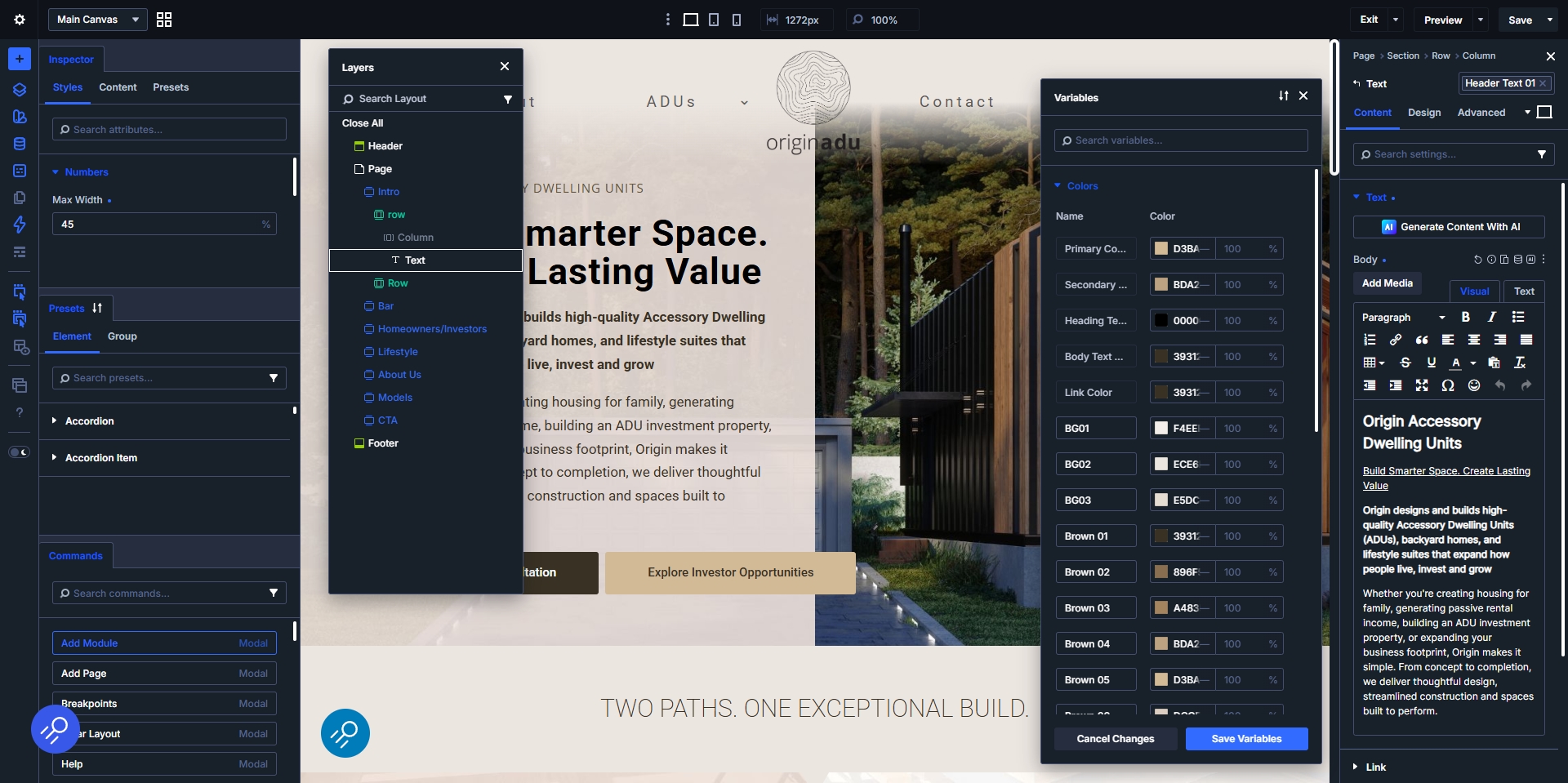
Panels can be opened, closed, resized, repositioned, docked, floated, and organized into tabs. Users can control which icons appear in the top bar and choose between different interface modes and color schemes. Multiple workspaces can also be saved for different tasks, projects, or screen sizes.
I can create one workspace for designing pages, another for responsive testing, and another for popups and menus. A developer may want immediate access to advanced settings and page structure, while a content editor may benefit from a simplified workspace that removes tools they do not need.
That may sound like a cosmetic feature, but it has real workflow value.
3. Flexbox, CSS Grid, Groups, and Nested Elements Provide Real Layout Freedom
Divi users have always been creative. A little too creative sometimes 🙂
(Elegant Marketplace anyone? Too soon?)
When the builder did not offer a particular layout structure, the community found a solution. We used specialty sections, creative column combinations, negative margins, absolute positioning, custom css, pseudo-elements, third-party plugins, and more than a few clever workarounds.
In fact, one could argue that I built much of my agency and reputation within the Divi community by finding those workarounds, using them on real client websites, and then sharing what I learned through my Divi Tutorials.

Divi 5 Changes that Equation.
Its modern layout system includes flexbox, css grid, nested rows, nested modules, groups, and container-based controls. Instead of forcing a design into a limited row-and-column structure, designers can create layouts that more closely reflect modern front-end development.
Imagine building:
- A custom blog grid.
- A team directory.
- A real estate property archive.
- A product collection.
- An event calendar.
- A project portfolio.
- A resource library.
- A services comparison layout.
I especially love the new group feature. It allows me to combine different elements and modules into a single reusable design component. In many ways, I can create my own mini custom modules using the tools already available inside Divi.
For example, I recently created a custom property component by placing several existing Divi modules inside a group. I was able to combine the property image, location, details, pricing, and call to action into one organized element that could be moved, duplicated, styled, and managed as a single unit.
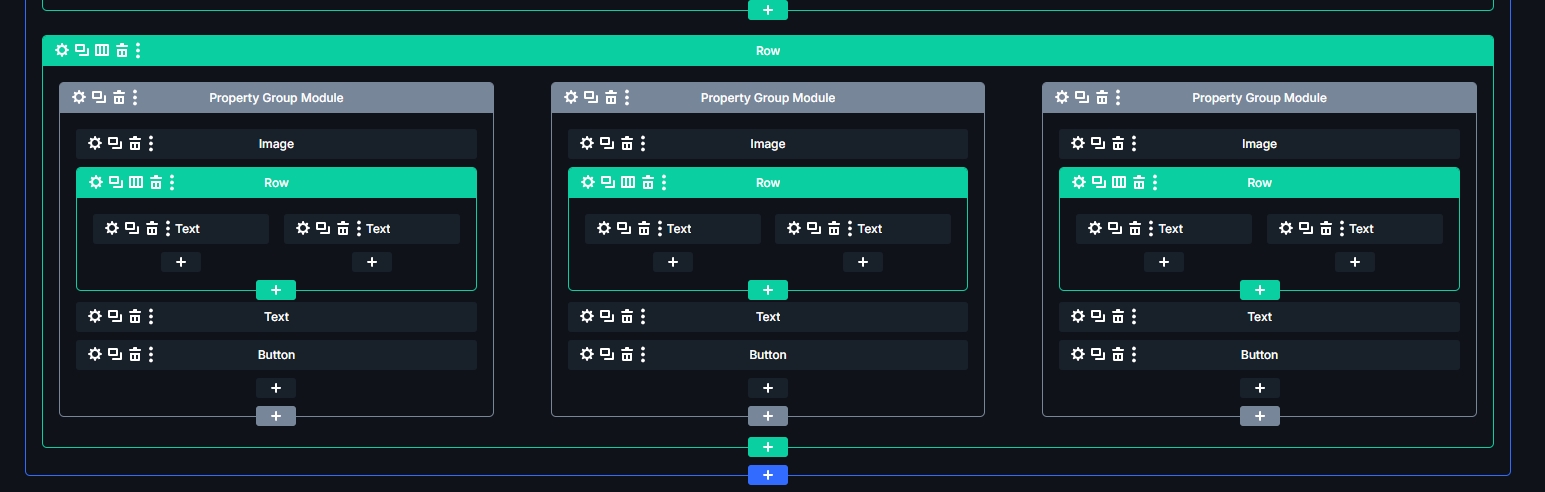

That kind of flexibility changes the way I approach a layout. Rather than starting with Divi’s previous structural limitations and figuring out how to work around them, I can begin with the experience I want to create and build the structure around it.
Why I love it: I can spend less time fighting the structure or looking for plugins and more time designing the right experience. Features that once required custom code, third-party modules, or complicated workarounds can now be created more naturally inside the builder.
Why business owners should care: Greater layout flexibility allows a website to present services, products, properties, resources, and company information more clearly. It also makes custom components easier to reuse and maintain as the website grows.
4. Design Variables and Presets Turn Divi 5 Into a Design System
One of the biggest differences between designing a page and designing an entire website is consistency.
Divi 5’s design variables and preset system help solve that challenge by allowing designers to define reusable rules for elements such as:
- Heading and Body Fonts.
- Typography Sizes.
- Section Spacing.
- Button Styles.
- Border Radiuses.
- Content Widths.
- Image Treatments.

This is a big deal for longtime Divi users.
In previous versions of Divi, one of the most efficient ways to create global styling was to assign a custom class or id to a module, row, or section and then target it with css. if you needed to update that design later, you could change the css in one place and apply the new styling everywhere that class was used.

Divi 5’s preset system brings that same concept directly into the native builder.
You can create a preset using Divi’s built-in design settings, custom css, or a combination of both. Once that preset has been named and assigned, it can be applied to any compatible module throughout the website.

When the preset is updated, every connected element updates with it, regardless of where the preset was originally created or where the change is made.
It is finally, truly global.
This means i can create a standard button, content card, image style, heading treatment, or spacing system and confidently reuse it throughout the website. If the design changes later, i no longer need to open every page and manually update each module.
For many common global styling needs, there is no longer a reason to build an elaborate custom child theme simply to maintain consistent design rules. Divi 5 now gives us a native system for creating, managing, and updating those styles visually while still preserving the ability to use custom css whenever we need it.
Why i love it: Global design decisions can finally function as a connected system rather than a collection of copied settings.
Why business owners should care: Brand updates become easier, design consistency improves across the entire website, and future changes can be completed more efficiently.
For a great introduction to understanding variables and presets, I highly recommend you check out Understanding the Divi 5 Design System: Variables vs. Presets by my man, Nelson Miller from Pee Aye Creative.

This is not an affiliate link, I just genuinely love the guy, his faith in Jesus, and his Divi tutorials.
5. Divi 5 Is Turning Custom-Code Features Into Native Features
This may be the Divi 5 development trend that excites me most about the future because the best is yet to come.
Divi 5 is steadily bringing more capabilities into the builder itself, reducing the need for plugins and custom code, and many of which I am using already.

Examples include:
- Loop builder
- Group carousel
- Tooltip module
- Nested modules
- SVG support
- Timeline layouts
- Advanced form styling
Who Should Use These Divi 5 Features Now?
Divi 5 is the right direction for most new projects, but that does not mean every existing Divi 4 website should be migrated immediately.
Elegant Themes is developing its newest features for Divi 5, while Divi 4 remains a valid short-term option for complex websites, projects that cannot tolerate disruption, or sites whose compatibility scans reveal numerous legacy warnings.
The right decision depends on how the website was built, which third-party products it uses, and whether you have a safe environment in which to test the migration.
Quick Divi 5 Recommendations by User Type
| Who It Is For | My Divi 5 Recommendation | Best First Step |
|---|---|---|
| New Divi Websites | Build new projects in Divi 5. You will begin with the new architecture and receive the full benefit of its performance, design system, layout tools, and future development. | Define your Design Variables first, followed by Option Group Presets and Element Presets. |
| Existing Divi 4 Websites Using Mostly Core Modules | These are generally the strongest candidates for migration, provided the compatibility scan does not uncover significant warnings. | Create a staging copy, make a complete backup, update everything, and run the Divi 5 Migrator. |
| Plugin-Heavy or Highly Customized Divi 4 Websites | Proceed carefully. Backward Compatibility Mode can keep legacy modules working, but affected pages may not receive the full Divi 5 performance benefit. | Inventory every third-party module and test custom CSS, JavaScript, integrations, and child-theme functionality. |
| Divi Beginners | Start directly with Divi 5, but learn the basic builder structure before trying to master every advanced feature. | Build a small test site and become comfortable with sections, rows, modules, responsive controls, variables, and presets. |
| Experienced Divi Designers and Agencies | Divi 5 offers the greatest opportunity to create a faster, more repeatable, and scalable production workflow. | Develop a reusable design system with clear naming conventions that can be exported and imported into future projects. |
New Divi 5 Websites Should Start With a Scalable Design System
For a brand-new website, I would start with Divi 5. A fresh Divi 5 installation runs entirely on the new framework and does not require content conversion or a backward-compatibility layer.
However, I would not begin by immediately designing individual pages. Elegant Themes recommends building a scalable Divi 5 website in this order:
- Design Variables
- Option Group Presets
- Element Presets
This sequence allows your colors, typography, spacing, borders, buttons, and reusable module styles to remain connected from the beginning. When a foundational variable changes, the presets using that variable can update with it.
For agencies, this work does not need to begin from scratch on every project. Divi 5 allows variables and presets to be exported and imported into new websites, giving each build a familiar and proven starting system.
Read Elegant Themes’ guide to mastering the Divi 5 design system.
Existing Divi 4 Websites Need a Divi 5 Migration Readiness Check
An existing Divi 4 website should not be migrated simply because Divi 5 is available.
Before making the move, back up the entire website, including the database, uploads, themes, plugins, and custom code. I recommend creating a staging copy where the migration can be tested without affecting the live site.
WordPress, Divi, and all third-party plugins should also be updated before beginning because outdated software can increase the likelihood of conflicts.
The Divi 5 Migrator scans several areas of the website, including:
- Pages and posts.
- Custom post types.
- Theme Builder templates.
- WooCommerce products.
- Divi Library items.
- Widgets and presets.
- Third-party modules.
The report identifies which content can be converted to the native Divi 5 format and which elements may continue operating through Backward Compatibility Mode.
A mostly standard Divi website may be a strong candidate for migration. A heavily customized website may require more preparation.
Review Elegant Themes’ official Divi 4-to-Divi 5 migration guide.
Check Divi 5 Third-Party Plugin Compatibility Before Migrating
Third-party extensions deserve special attention when planning a Divi 5 migration.
Check each Divi Marketplace product for a Compatibility with Divi 5 designation. When that information is unavailable, contact the product developer directly and ask whether a native Divi 5 version is available or planned.
If several critical extensions are not ready, it may be safer to delay the migration until their developers release compatible versions.
Divi 5’s Backward Compatibility Mode can keep many unsupported modules operational, but I would view it as a bridge rather than the ideal long-term configuration.
Pages containing legacy modules may need to load portions of the Divi 4 framework and therefore may not receive the full performance benefits of a completely native Divi 5 page. Legacy modules may also require additional loading inside the Visual Builder and cannot use every Divi 5-specific feature until their developers release native versions.
Learn more about Divi 5 backward compatibility and third-party modules.
My Divi 4-to-Divi 5 Migration Checklist
For an important client website, this is the process I recommend:
- Create a complete backup:
Include the database, uploads, theme files, plugin files, and custom code. - Clone the website to a staging environment:
Never use a complex production site as your first migration test. - Update the existing Divi 4 website:
Update WordPress, Divi 4, and all plugins before installing Divi 5. - Audit third-party dependencies:
Make a list of every Divi extension, custom module, child-theme customization, code snippet, and integration. - Install Divi 5 and run the Migrator before editing content:
Editing pages, posts, or Theme Builder templates before migration can complicate a clean restoration to Divi 4. - Review the compatibility report:
Pay close attention to warnings, legacy modules, and pages that may require Backward Compatibility Mode. - Test more than the homepage:
Review service pages, landing pages, blog templates, headers, footers, mobile layouts, forms, popups, menus, dynamic content, WooCommerce templates, and custom post types. - Test the Visual Builder:
Open representative pages and confirm that sections, rows, modules, presets, and responsive settings can still be edited properly. - Clear every cache:
Clear Divi’s static CSS cache, caching-plugin data, server cache, CDN cache, and browser cache before assuming a visual problem is migration-related. - Create another backup before going live:
Once testing is complete, back up both the existing production website and the approved staging version before deployment.
Divi 5 for Beginners: Learn the Foundation First
Divi 5 gives beginners more power than previous versions, but it also introduces enough flexibility to become overwhelming.
A new user does not need to master Flexbox, CSS Grid, nested modules, advanced units, loops, variables, and stacked presets all at once.
Start with:
- Page structure.
- Basic Divi modules.
- Spacing and alignment.
- Responsive editing.
- Design Variables.
- Default presets.
Once those fundamentals make sense, features such as CSS Grid, Flexbox, nested elements, Groups, and the Loop Builder become much easier to understand.
I also recommend using a fresh installation or staging environment when learning Divi 5. That gives beginners and returning users room to experiment without risking an important live website.
Divi 5 for Agencies: Build a Repeatable Production System
Experienced designers and agencies should think beyond individual pages.
The real opportunity is to create a repeatable Divi 5 production system that includes:
- Consistent variable and preset naming conventions.
- Reusable typography and spacing scales.
- Standard buttons and calls to action.
- Reusable Groups and layout components.
- Agency-wide starter templates.
- A documented Divi 5 migration checklist.
- A list of approved Divi 5-compatible extensions.
Divi 5’s Preset Manager allows global styles to be edited in a controlled environment, previewed across important pages, and reused on future projects.
That makes Divi 5 more than a page builder. It becomes a practical design-system platform for producing and maintaining multiple websites.
Explore the Divi 5 Preset Manager and preview system.
My Practical Divi 5 Recommendation
For new websites, I would use Divi 5.
For existing websites, I would let the compatibility report, third-party dependencies, and staging results determine the timeline. Enthusiasm is not a migration plan.
A relatively clean Divi 4 website may be ready now. A complicated website with numerous legacy products may be better served by remaining on Divi 4 temporarily while developers release native updates.
What Does Divi 5 Mean for the Third-Party Ecosystem?
I added this section after my colleague and fellow longtime Divi builder, James Fosker, raised an excellent question when I first shared this article on LinkedIn.

James has been part of the Divi journey since the early days and was among the designers and developers who helped build the third-party ecosystem around the platform.
He asked what Divi 5’s growing list of native modules and features might mean for the independent developers, marketplaces, and product creators who also played such an important role in growing the Divi community.
It was a thoughtful question, especially coming from someone considering a return to Divi plugin development after building several SaaS products of his own.
James, I hope you do explore it. You have the experience, technical perspective, and understanding of the community to recognize opportunities that others may miss. Divi 5 may change what third-party development looks like, but people with vision, creativity, and a genuine desire to help users will always have an important role in shaping what comes next.
His question caused me to think more deeply about the future of the ecosystem and ultimately led me to add this section to the article.
Building Products Around Someone Else’s Platform Always Carries Risk.
I first saw the direction things were heading when Elegant Themes began adding some of the workarounds and capabilities I discovered and shared on my Divi Tutorials blog, directly into the core product. That did not bother me. In many ways, it validated that I had identified real needs and helped push Divi forward.
It was also a reminder of an important business reality: building products around someone else’s platform always carries risk. The platform owner may eventually introduce similar features, change its technical foundation, or move in a direction that reshapes the market.
That realization played a role in my decision to close the Monterey Premier Divi Marketplace and stop developing my own add-on products leading up to the launch of Elegant Themes’ own Divi Marketplace. I did not believe that particular business model was the right long-term path for me.
Fortunately, the pivot was easy because my real passion was never simply selling Divi products. I loved building with Divi, teaching others, solving practical problems, and helping clients create better websites.
Divi 5 Will Change the Add-On Market, Not Eliminate It
I do not believe Divi 5 means the end of the third-party ecosystem. I believe it means the ecosystem will need to evolve.
As more commonly requested features become native to Divi, third-party developers may need to move beyond recreating basic builder functionality. The strongest opportunities will likely come from solving specialized problems, improving complex workflows, creating deeper integrations, and serving specific industries or types of users.
There are still plenty of opportunities in areas such as:
- Advanced integrations and business systems.
- Industry-specific modules and website solutions.
- Training, education, and certification.
- Migration and troubleshooting services.
- Workflow tools for agencies and teams.
- Accessibility and performance solutions.
- AI-powered design, content, and development tools.
- Consulting for advanced Divi implementations.
The opportunity is still there. It may simply look different from what it did during the early days of Divi.
Divi 5 Creates New Opportunities for Experts and Educators
Divi 5 is becoming more like professional software such as Adobe Photoshop. It is powerful, flexible, and filled with possibilities, but there is enough to learn that it can quickly make a new user’s head spin.
That creates a growing need for teachers, consultants, specialists, and trusted experts who can help users understand not only what the tools do, but how to use them effectively.
I positioned myself as a Divi expert, consultant, and professional website builder. As Divi 5 attracts new customers and brings former users back to the platform, I expect there will be a healthy pool of businesses and designers looking for help with building, migrating, troubleshooting, and making the most of the new system.
The same opportunity exists for others throughout the Divi community.
The Future of the Divi 5 Ecosystem Needs New Leadership
Years ago, the idea of creating and selling third-party Divi products through a community marketplace felt revolutionary for our small ecosystem. That vision helped inspire developers, designers, educators, and entrepreneurs to create an entire industry around Divi.
Now it may be time for someone else to take the baton and help lead the community into its next phase.
The person or company that succeeds will need more than a clever product or a quick monetization strategy. They will need a genuine understanding of the community and a vision for bridging the gap between the product and the people using it.
They will also need to be fair, generous, helpful, and community-minded.
Divi users can tell the difference between someone who wants to contribute to the community and someone who is only looking for a quick sale. The next generation of Divi leaders will be the people who create real value, help others succeed, and recognize that a healthy ecosystem grows through trust.
Why the Divi 5 Third-Party Ecosystem Still Has Room to Grow
Divi 5 may change the opportunities, but it does not eliminate them.
In many ways, it creates an entirely new frontier.
The next wave of growth may not come from recreating features that Elegant Themes is already building. It may come from helping users navigate the platform, connect it to other tools, apply it to specialized business needs, and use it more effectively.
The opportunity is still significant. It simply requires a new vision for what the Divi ecosystem can become.
Ready to Explore Divi 5?
Explore Divi 5 Through My Elegant Themes Affiliate Link.
(affiliate disclosure: this article contains Elegant Themes affiliate links. If you purchase Divi through one of these links, I may receive a commission at no additional cost to you. I have personally used Divi for more than a decade, and the opinions in this article are entirely my own.)

Geno Quiroz serves on the Marketing & Technology team at IPX1031, a Fidelity National Financial company and a national leader in 1031 tax-deferred exchange services. In his current role, Geno focuses on website architecture, design, development, SEO/AIO, and digital marketing strategy. His work helps strengthen the company’s digital presence, improve user experience, and ensure that IPX1031’s online platforms effectively support client engagement and long-term growth.
Concurrently, Geno continues to lead Monterey Premier, the web design and strategic consulting firm he founded in 2015. Through Monterey Premier, he partners with entrepreneurs, nonprofits, and growing organizations to design high-performance websites, refine digital sales funnels, and implement conversion-focused strategies.
His hands-on experience building and scaling a client-facing agency has provided him with a real-world understanding of growth strategy, brand positioning, and the operational realities of business ownership — experience that now directly informs and strengthens his work in enterprise marketing technology.